

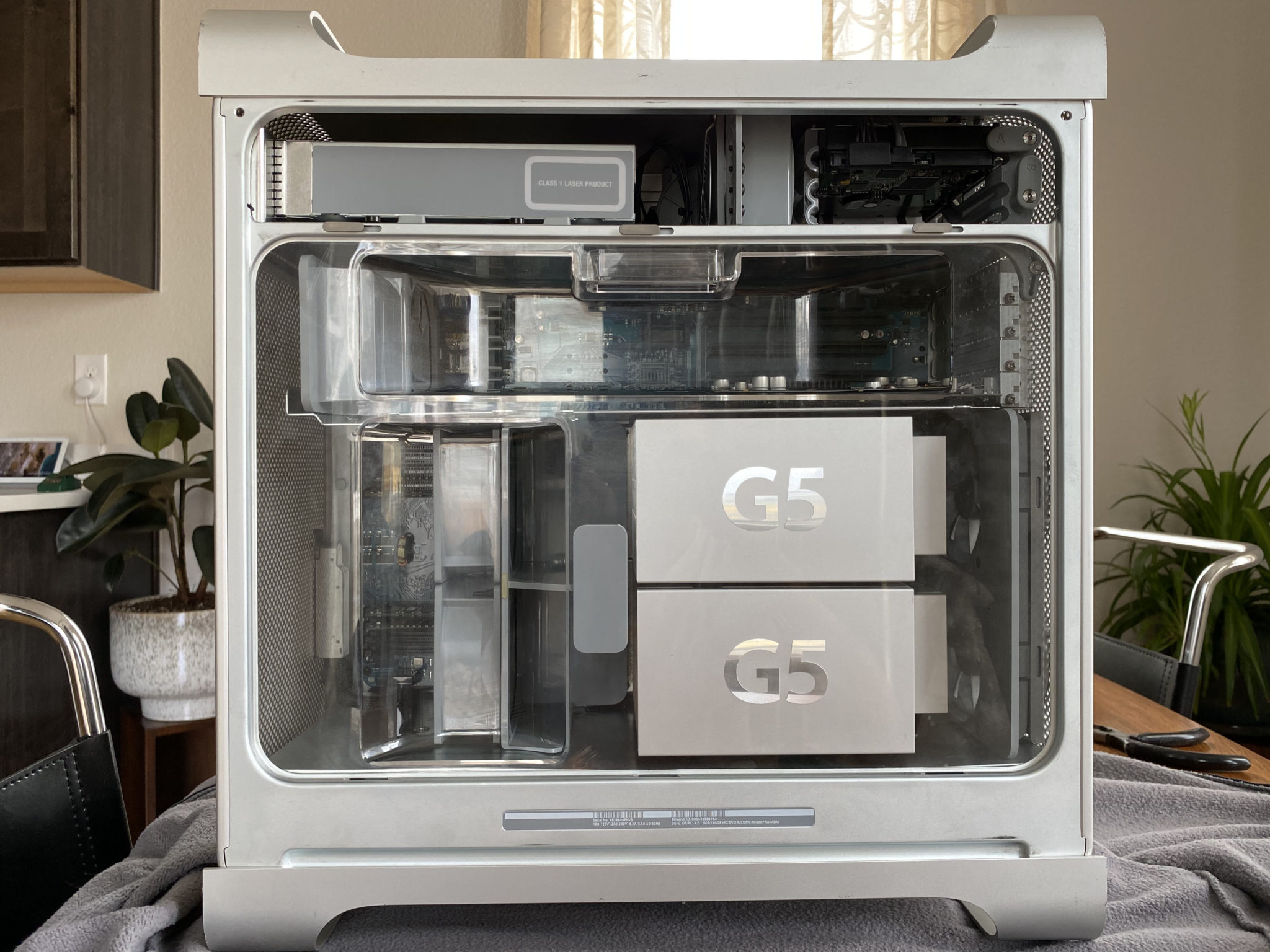
History of the Power Mac
Back in 2003, Apple's Power Mac G5 was a dual-core monster; with a dual 2.0GHz processor and up to 8GB of 400MHz DDR RAM, it pales in comparison to any Apple computer on sale today, but remains one of the greats in Apple's storied portfolio of consumer design successes.
Building on the success of the then-recent Power Mac G4 and G4 Cube, Apple decided it was time to further simplify their pro-sumer lineup with a brand-new design in 2003, with the announcement of the Power Mac G5 tower. As design head Jony Ive stated in an interview regarding the G5: "We wanted to get rid of anything other than what was absolutely essential," and that they absolutely did.
I've long admired the Power Mac design, which persisted from the days of PowerPC (1994 - 2005) until Apple's transition to Intel processors (2006), all the way up to the "trash can" redesign in 2013. I stumbled across a well-priced storage unit purchase a seller didn't know much about, and decided to jump on a "COVID project", which ended up being simpler than I expected.
This Particular Power Mac
This Mac's model identifiers are as follows:
- Model PowerMac 7,2
- Sold as M9032LL/A
- Apple Device ID A1047 (EMC 1969)
- Serial number XB346600FNVS
And its specifications after the build was complete:
- Dual-core PowerPC G5 processors running at 2.0GHz
- 1.5GB 400MHz PC3200 DDR SDRAM
- Apple AirPort Extreme 802.11G Wifi card
- AMD Radeon 9600 Pro graphics card with 64MB of VRAM
- 160GB SATA 1.5Gbps Hard Drive
- 4X DVD/CD SuperDrive
- Lots of ports, like Firewire 400/800, optical audio in/out, and Ethernet
- A special DisplayPort which provided power and video signal
The Full Disassembly
When I picked this up from a random stranger's garage, I had no idea what to expect. "How dusty is this thing," I wondered, "and how much money am I actually going to be willing to invest to get a computer of legal driving age to turn on? The answers were "extremely" and "about $50".
Heavy and unwieldy as it was, I managed to get the Power Mac home in one piece, and popped open the side panel to reveal something that looked like a scene from the movie "Dune".
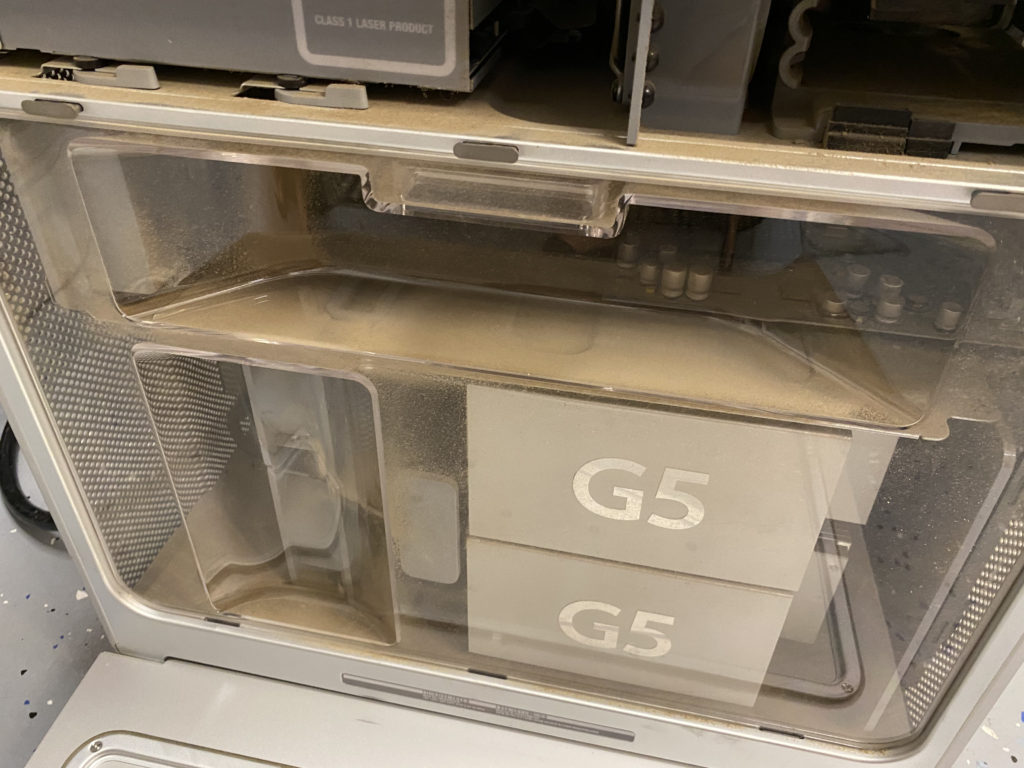
Not to be deterred from the $80 I sunk into the tower and its very dated 20-inch 1680x1050 monitor, I began the process of disassembly by removing the plastic cover - which (fun fact) is required for air to flow properly through the case.
The first step was to remove the fan module immediately to the left of the dual G5 processors, indicated by the small rectangular handle. Simply pulling firmly on the module removes it; note the connector slides directly into and out of its port on the motherboard, requiring no additional unclasping.
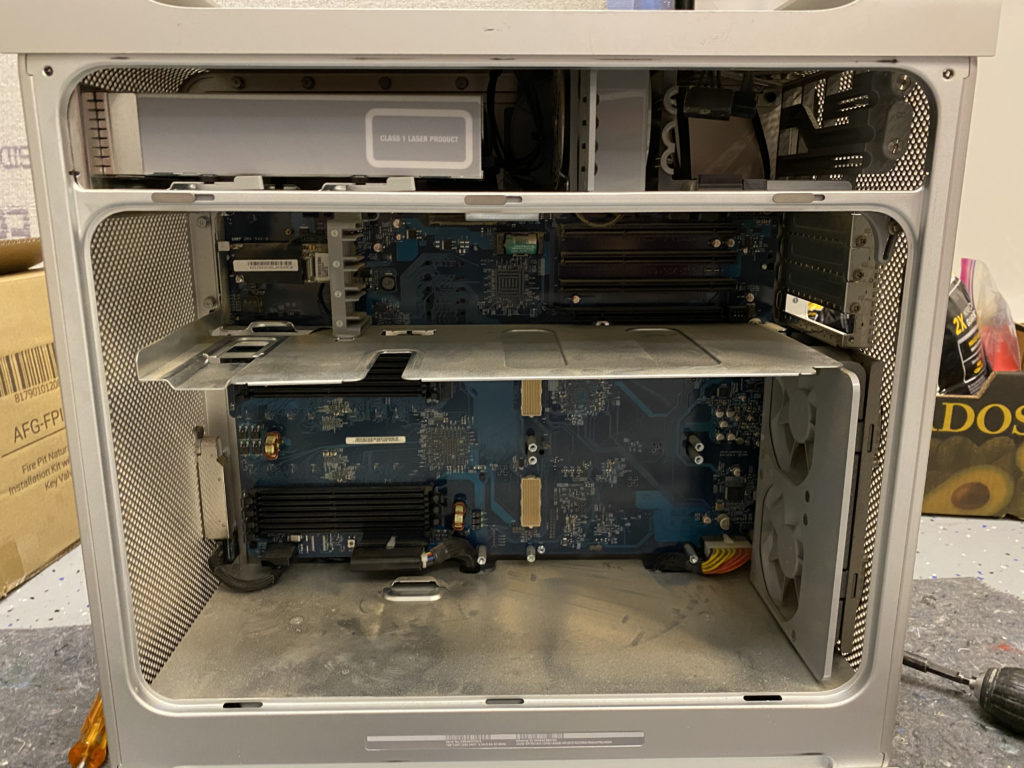
To the top left of the fan module I just removed was a single fan and speaker module, which provided airflow to the graphics card(s) and acted as the single built-in audio source on the tower. This fan module sits in the left-most horizontal divot in the center of the tower.
Next, I removed that upper fan module by depressing the clip and sliding it towards myself, out of the tower. This required a bit of force. This module has a wired and clipped connection to the motherboard, which requires using a small screwdriver and minimal force to free.
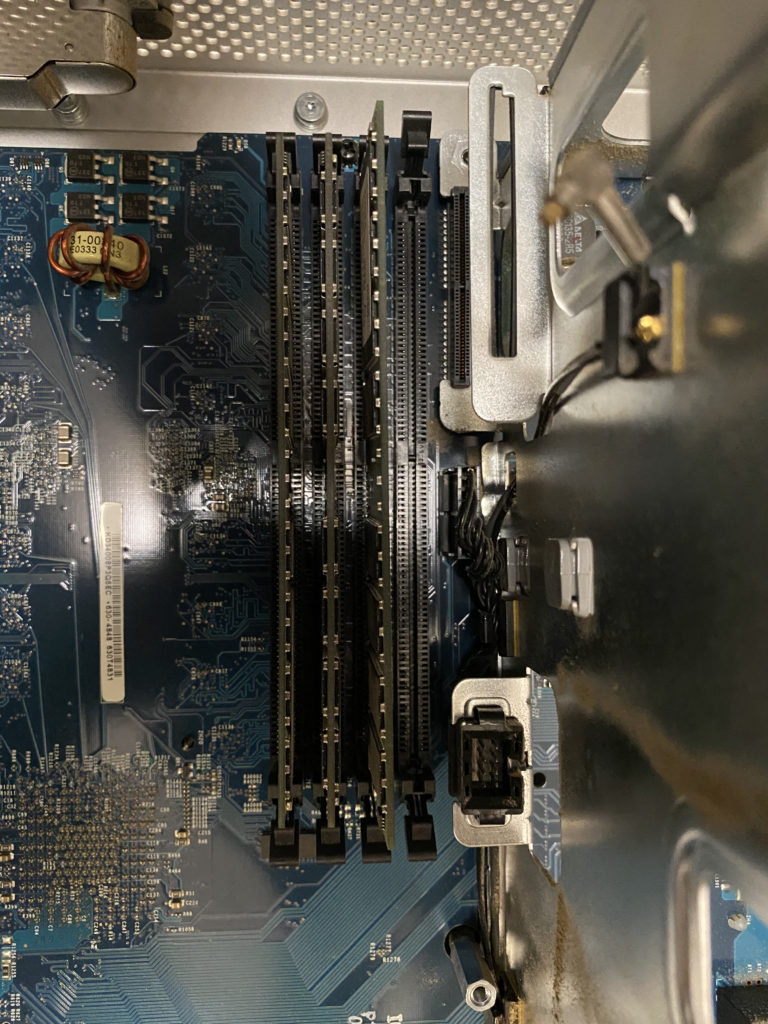
With most of the major bits and bobs out of the case, I removed the RAM modules, which are pretty obvious but directly below the single fan assembly in four horizontal rows. When inserting RAM back in upon reassembly, be sure to use matched pairs (equal MB/GB sizes) starting in slots 2 and 3, with 1 being the top-most and 4 being the bottom-most slot.
On the top right of the case, you'll find the hard drive bays, one of which in this case was occupied by a still-spinning OEM hard drive. To remove this, I flipped the "A" tab clockwise until it was at the 12:00 position, slid the hard drive towards the case opening, and disconnected the power/data cables prior to fully removing it from the case.
Below the hard drive bays is a set of expansion slots, one of which was occupied by a graphics card. To remove the graphics card, I removed the single screw near the right edge of the case, and gently wiggled the card free from its horizontal connector.
To remove the SuperDrive, I rotated the two grey tabs clockwise 90 degrees, and slid the drive free from the case. Note there are also cables attached here, which will need to be disconnected prior to removal.
Now came the tough part: removing the processors. First you've got the G5 processor covers, a cosmetic detail I'm happy Apple added, but be aware the clips are extremely delicate. I broke 3 of the four clips on each after all was said and done.
I would highly recommend laying the Power Mac on its side (largest flat side, with the Apple logo) prior to removing the processors. Using a long (6 inch) Phillips screwdriver extender and a nice grippy screwdriver handle, I removed the four screws on each processor, down the top and bottom channels. Note the screws are the ones attached to the motherboard posts, on the thickest metal parts of the processor/heatsink assemblies.
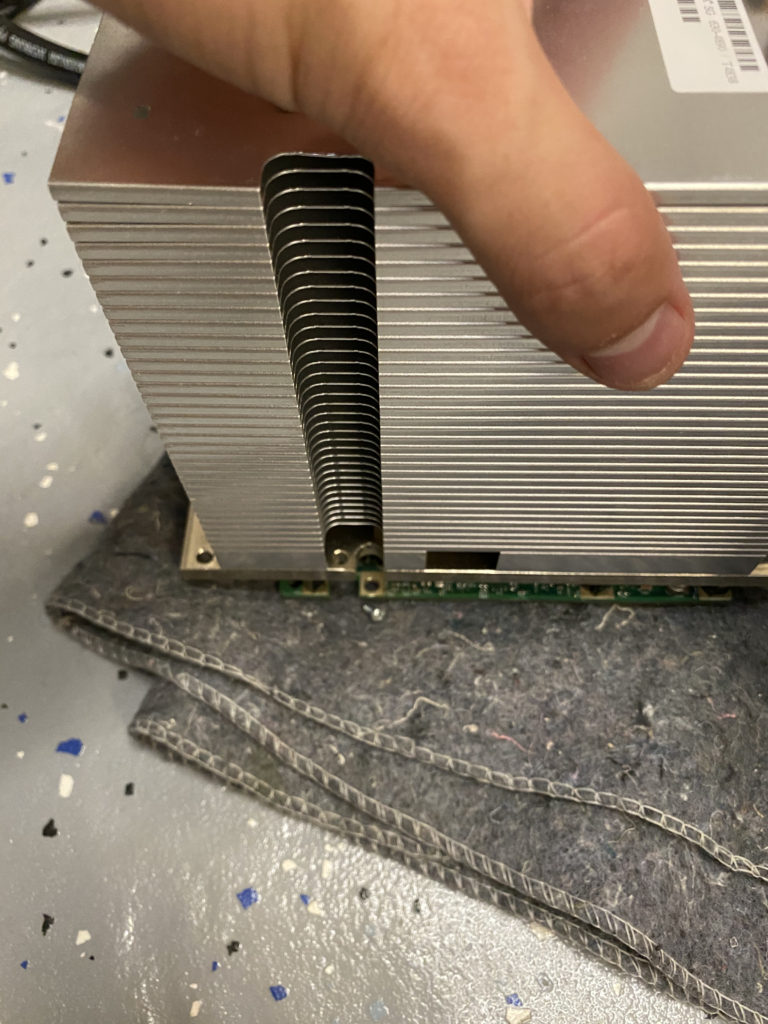
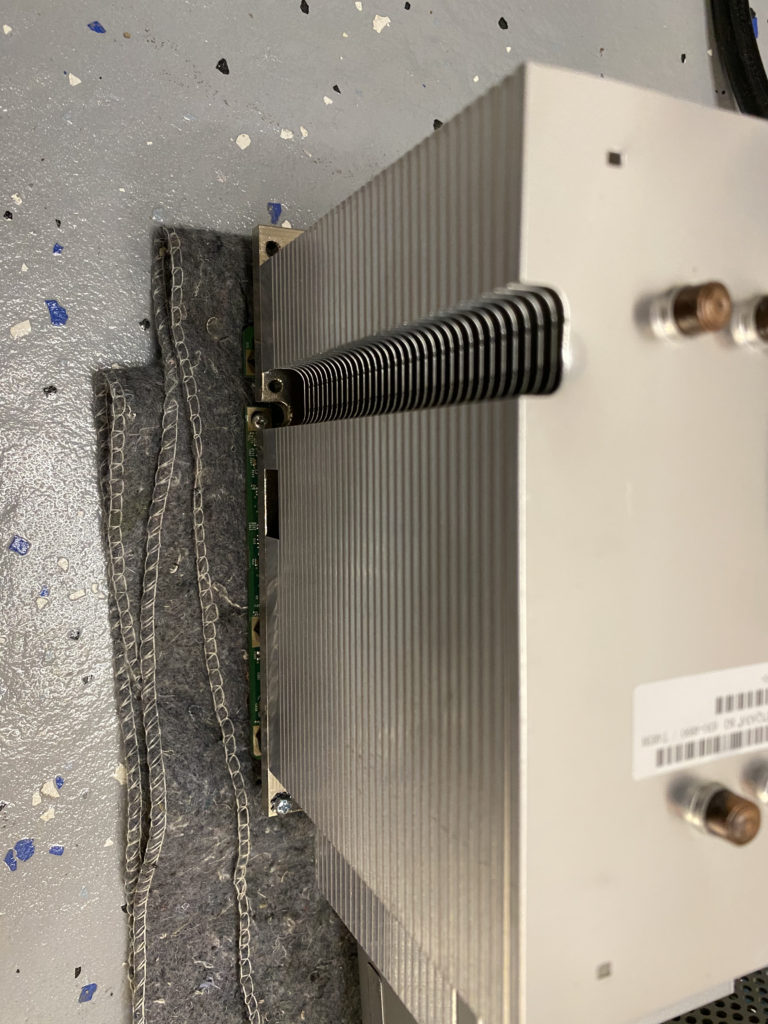
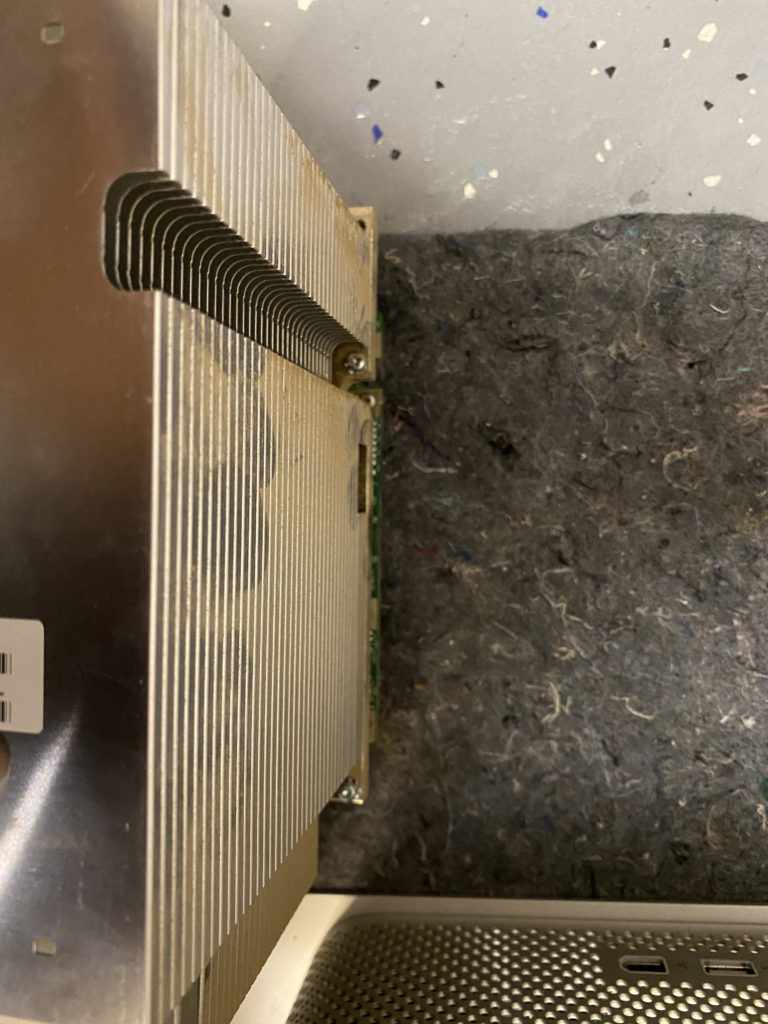
Once I removed four screws from the bottom processor (easier to do that one first), it was easy to gently pull the processor directly towards myself, out of the case. If this proves difficult, there may be an additional small screw at the bottom left of the lower processor. Also note the processor pins are located on the motherboard, and are easily bent. Be careful if you attempt this yourself!
I wanted to disassemble the processors at this point due to the massive amounts of dust, and in order to clean and re-apply thermal paste. This was easy enough once the processors were removed: only four hex screws keep the processor attached to the massive heatsink. There are also two small clips and adhesive on the back side of the heatsink, which needed to be detached in order to take this circuit board off.
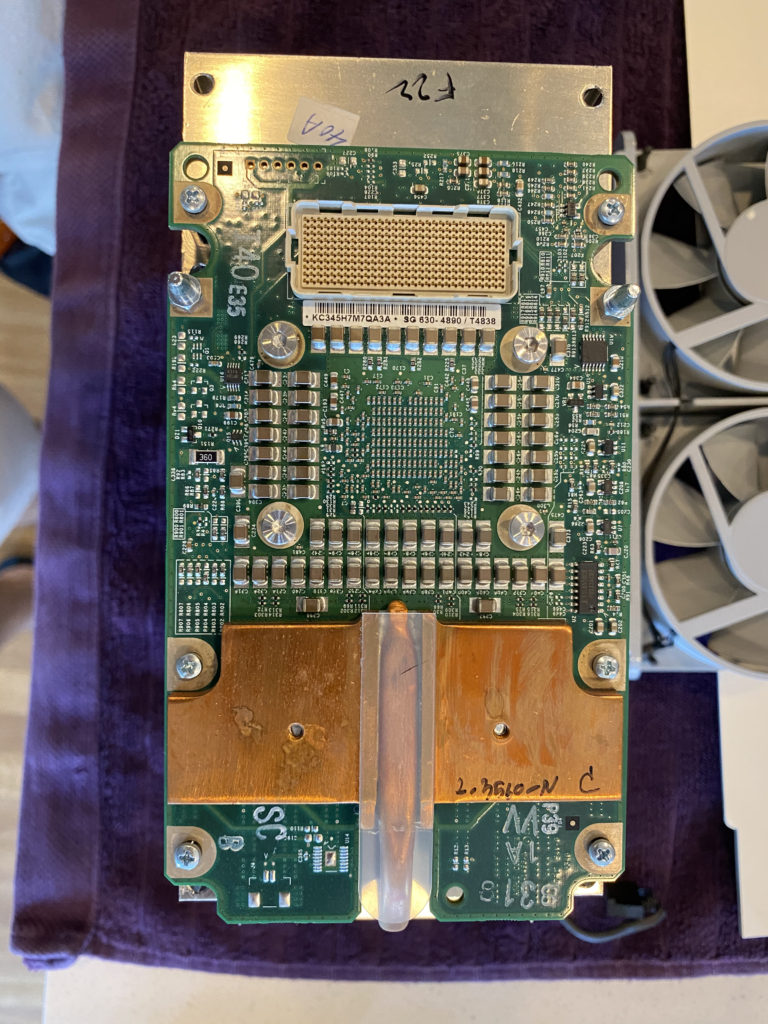
The final fan assembly was on the far right against the back of the case, and was removed by freeing the clips near the case opening, after the processors were removed.
So what was left? "Oh crap," I thought, "the power supply." Not a difficult item to remove, though it takes up the entirety of the bottom of the interior: just two screws on the plate covering the power supply inside the tower, and voila! I was ready to remove the three large cable clips on the bottom of the motherboard. These are heavy-duty cables and clips, so I recommend taking your time to see how and where these sit when removing the power supply.
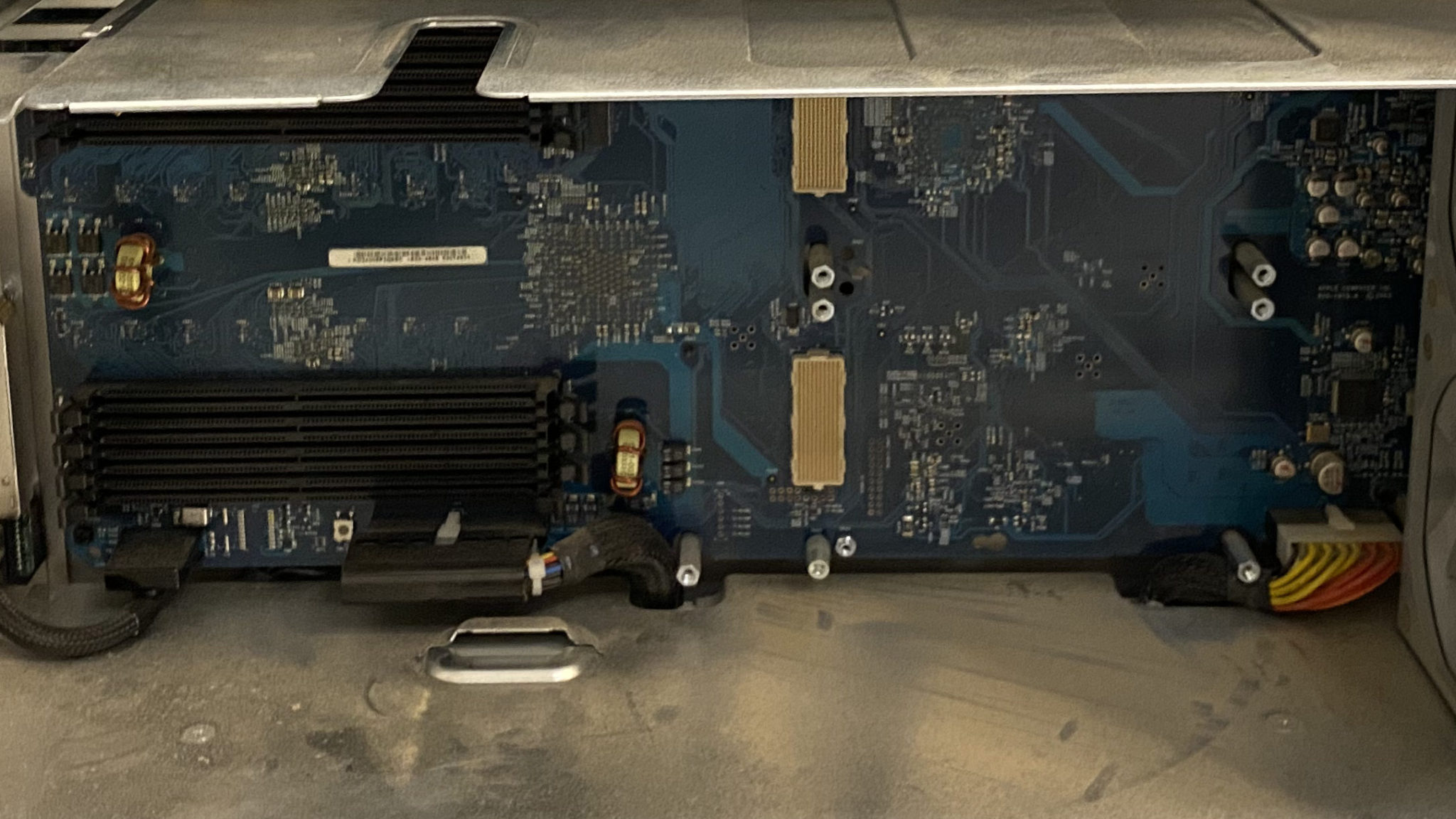
Once the two screws and power cables are free, removing the plate covering the power supply required a bit of creative twisting, but was more difficult to get back in than out.
To remove the power supply unit, remove the four screws on the underside of the tower, re-orient the tower standing up, then tilt the power supply away from you and pull it out of the case. Be aware of the cables you just disconnected - they caused me a bit of trouble.
Finally, I was finished! Not really, though... hours of high-pressure air, non-static microfiber rags, a new PRAM battery, and plenty of patience later, I was actually ready to reassemble. I followed the steps above backwards, and it wasn't too bad of a reassembly process.
Once the power cable arrived a few days later, I was ready to press the power button and hope to God (!) all my effort was not in vain!
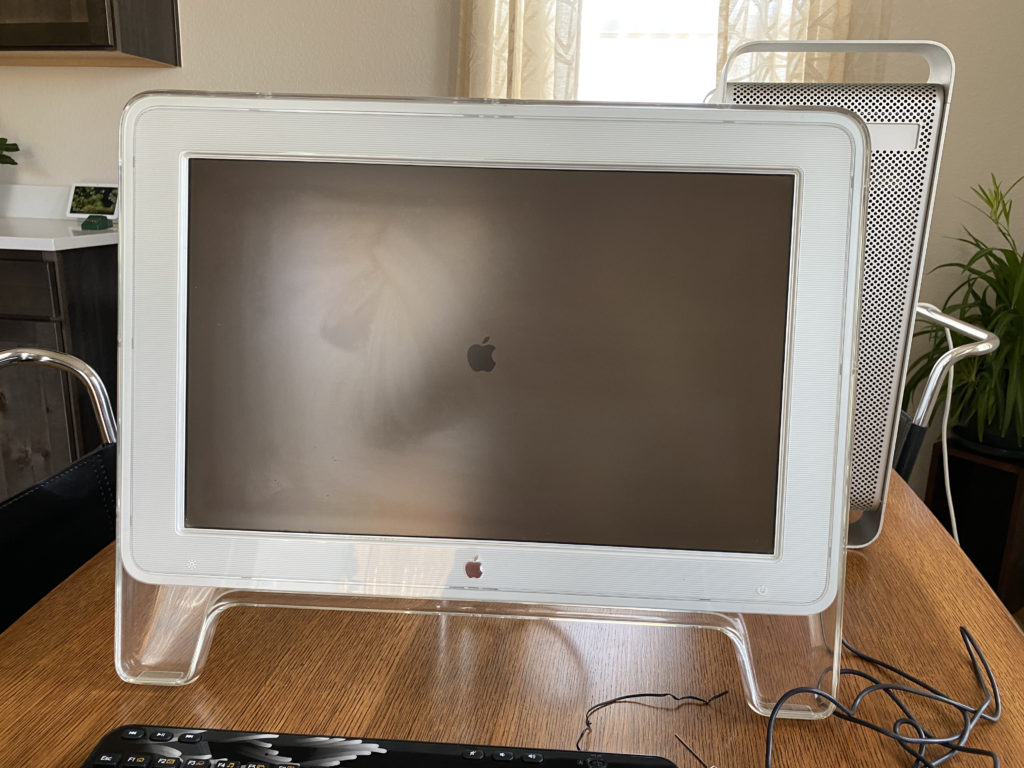
Thankfully, it booted as expected, and after wiping the hard drive of the previous owners' files (lots of pirated content and acid jazz concert recordings) I was in nostalgia heaven. Sherlock! Old Finder! The Aqua interface! What a ride.
Final Thoughts and Tips
My last little project on this computer was the AirPort Extreme antenna: a part which anywhere will cost you $40 because it's a special T-shaped connector that was made for the Power Mac line. I couldn't find a suitable replacement anywhere on Amazon, so I opted for a solution another user suggested on Apple's support forums: a large safety pin.
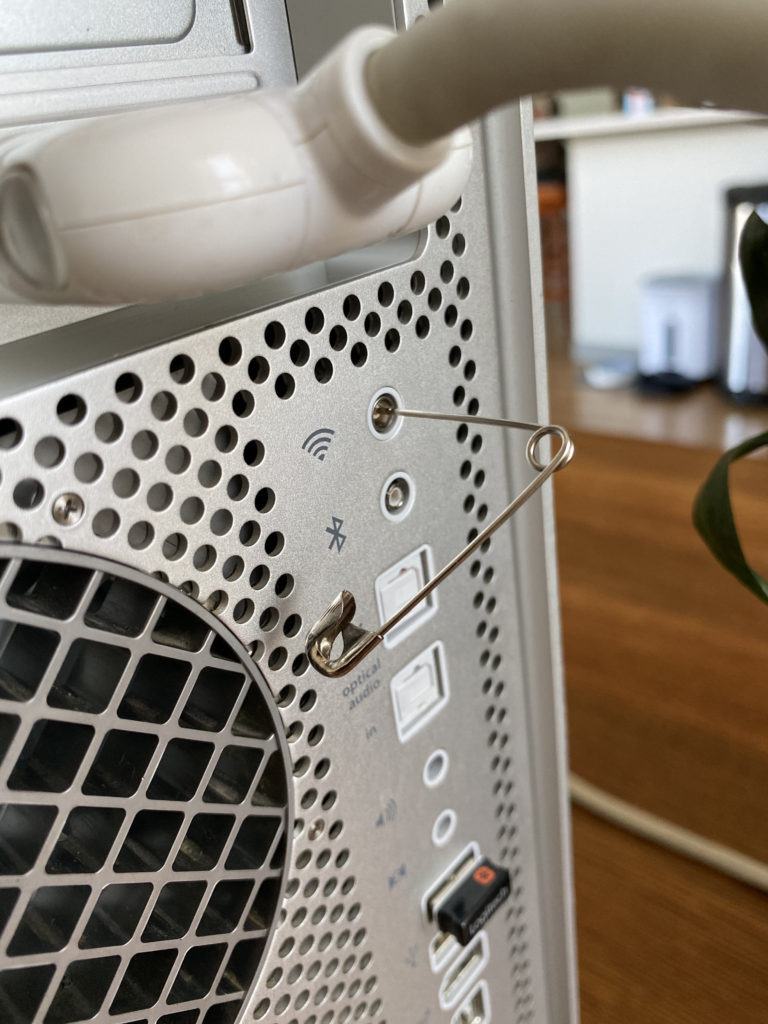
This particular model didn't have a Bluetooth card, but a Logitech keyboard with wireless USB adapter did well enough for typing when needed post-boot.
Final thought: you should be pretty handy if you attempt this yourself, but it's not a whole lot more than screws and silicon. Worst case, you have a pretty paperweight, or you can sell it to a PC builder. Apparently these cases work well with specific motherboards in PC builds due to the post configuration and the case's general timeless attractiveness.
Thanks for reading!
Thanks to EveryMac's Power Mac G5 page, Mac Parts Depot, and Other World Computing for the parts and details! This thread on iFixit also helped, despite it being a teardown for a water-cooled Power Mac.
care.
where can i get a loan get a loan
thats why i have read it completely
the same. This article introduces a writer who’s actually going to
deposit, play, and withdraw to give us the truth.
truly read through a single thing like this before.
So great to discover another person with a few unique thoughts on this subject.
Seriously.. many thanks for starting this up. This web site is one thing that is required on the internet, someone
with some originality!